

What Is IJ7 APK?
IJ7 APK is the Android installation file for IJ7 Game. It allows you to install the IJ7 app on a compatible Android phone and access game categories, account settings and wallet features through one interface.
Downloading the APK and installing the app are two separate steps. First, save the complete file from the IJ7 download destination. Then open it through Android's installer. Registration and login take place after the application opens.
What Is IJ7 Game?
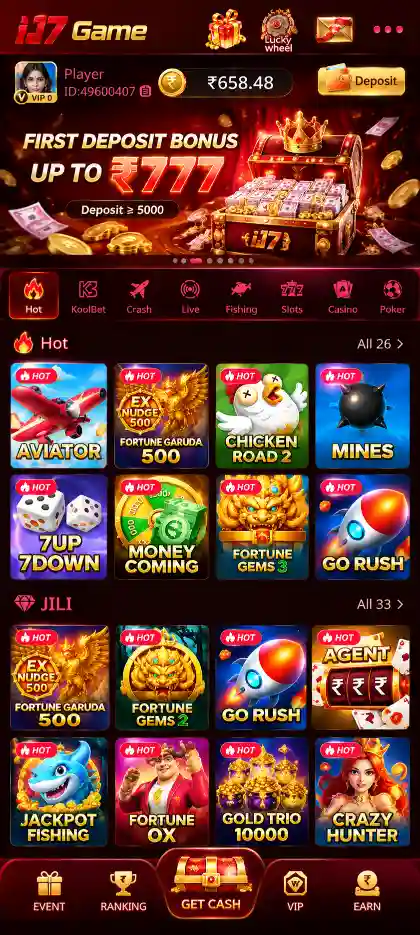
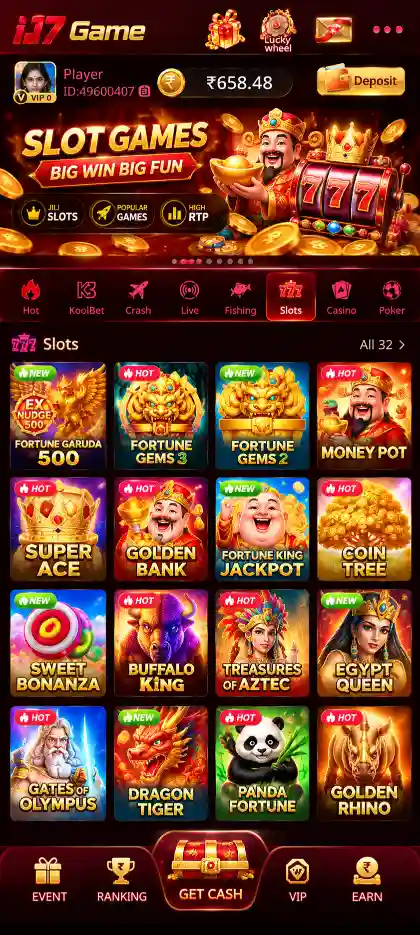
IJ7 Game is an Android gaming platform that brings several game categories into one mobile app. Its lobby includes Aviator, Mines, Plinko, Dice, Slots and JILI titles, Rummy, Teen Patti, Fishing, Roulette and KoolBet collections. Each title has its own controls, rules and outcomes.
Alongside the game lobby, IJ7 includes mobile-number account access, login-password settings, Wallet functions, Balance Records, promotional rewards and support options. The APK is the file used to install this app; the IJ7 App guide explains its everyday features and navigation.
IJ7 Game APK Details
IJ7 APK Download for Android
To get the IJ7 Game APK, use the IJ7 Game Download button at the top of this page. It opens the IJ7 download destination linked to this website. Complete the mobile-number step before saving the installation file.
- Tap IJ7 Game Download to open the download page.
- Enter the active mobile number you want to use with IJ7.
- Check the number carefully and tap Confirm.
- Allow the browser to download the Android APK.
- Wait for the file to finish, then find IJ7.apk in Downloads or File Manager.
If a file has not finished downloading, check the browser's download history rather than opening an incomplete package. For the browser-stage instructions, visit the IJ7 Game Download guide.
How to Install IJ7 APK on Android
After the IJ7 APK download is complete, installation takes place through your phone's Android installer. Menu wording may vary slightly between devices.
- Open Downloads: Find IJ7.apk in the browser's Downloads list or File Manager.
- Tap the APK: Open the completed file to start the installer.
- Review source permission: If Android asks about installing from the browser or File Manager, review the source and the request.
- Tap Install: Continue if you recognise the source and Android reports no harmful-file warning.
- Open IJ7 Game: After installation finishes, launch the app from the installer or the app icon.
If you already have IJ7 installed, compare the installed version before trying an update. Keep your working app and account data until you know whether the new package is compatible.
IJ7 Game Key Features
The installed IJ7 Game app brings together different game formats and account tools. Each game has its own controls, round rules and result calculations.
- Aviator: A crash-style game with a rising multiplier and a cash-out decision.
- Mines, Plinko and Dice: Tile selection, ball-drop and number-based formats with different outcomes.
- Slots, JILI and Spin Games: Reel-based and provider-labelled titles with individual paytables.
- Rummy and Teen Patti: Card games using sequences, sets or hand comparisons.
- Fishing, Casino and KoolBet: Arcade-style fishing, Roulette, card games and titles organised in the KoolBet collection.
- Mobile Account Access: Registered-number verification, OTP login and optional login-password settings.
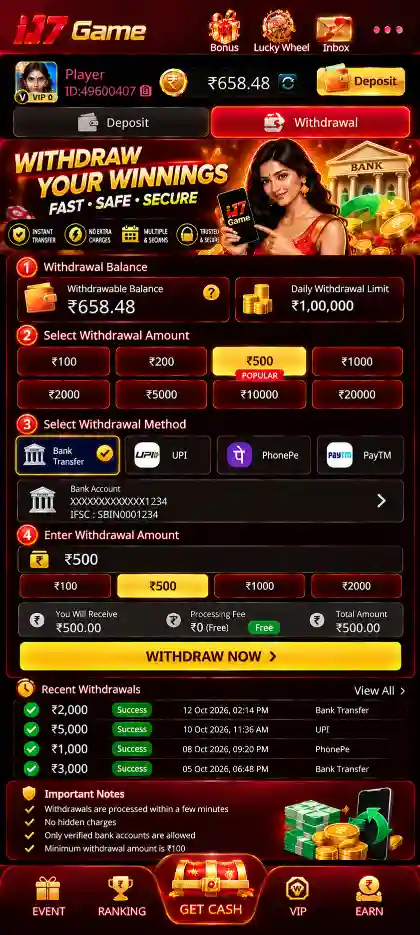
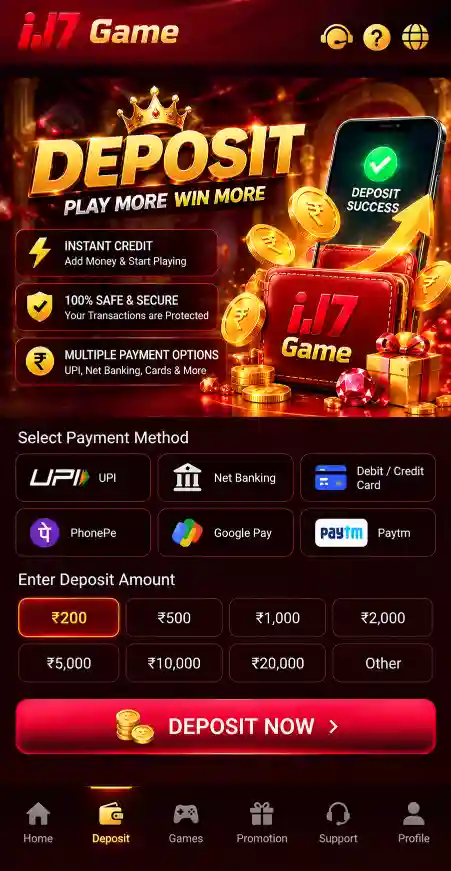
- Wallet and Balance Records: Separate Deposit and Withdraw areas, account balances, bank details and transaction records.
- Rewards and Help: Welcome bonus promotions, daily or referral offers where available, and in-app Live Support.
IJ7 also includes promotional areas such as First Deposit Bonus, 7 Days Daily Bonus, Ranking and Referral Rewards. Offer terms, eligibility and wagering conditions apply. Explore reward conditions in the IJ7 Bonus guide, or use the IJ7 App guide to navigate the installed interface.











IJ7 APK Android Installation Permissions
Android may ask for permission to install an APK from the browser or file manager you used. This is a source-specific installation setting, not permission for IJ7 to access all information on your device.
- Check the name of the browser or file manager requesting installation access.
- Review the APK source and Android installer details before continuing.
- Keep Google Play Protect active and stop if Android reports a harmful application.
- Review any separate permissions the app asks for after installation.
IJ7 APK Compatibility and Storage
IJ7 APK is intended for Android devices. Installation depends on the Android version, available storage, device architecture and package compatibility. The 21.87 MB file also needs additional space while Android completes setup.
If Android rejects the installation, check the exact error message and the phone's software version. Enabling installation permission cannot fix an unsupported Android version or an incompatible package.
How to Update IJ7 APK
For an IJ7 APK update, first check the version in the installed app or Android App info. For the currently listed release and the full update walkthrough, see the IJ7 Latest Version guide.
- Check the IJ7 version currently installed on your phone.
- Download the intended newer package completely.
- Open the APK and review Android's installation or update prompt.
- Install the update if Android accepts the package identity and signature.
- Open IJ7 and check that your account is accessible.
If an update reports a package conflict, do not immediately uninstall the existing app. Confirm the package source and preserve your current account access first.
IJ7 APK Not Installing? Common Errors and Fixes
An IJ7 APK installation error can happen during download, package verification or installation. The correct fix depends on which stage failed.
IJ7 APK Download Not Completing
Check your internet connection, available phone storage and browser download history. If the file is incomplete, start a fresh download from the intended link and wait until it finishes.
IJ7 APK Parsing Error
A parsing error may mean the file is incomplete, damaged or unsupported by the device. Check the full download and Android compatibility. Do not use a modified APK to work around the error.
IJ7 App Not Installed
Check free storage, the Android version and the installer's message. A damaged package or conflict with an existing copy can also prevent installation. Identify the cause before deleting an existing app.
IJ7 APK Package Conflict
A package conflict can occur when Android cannot match a replacement APK with the installed app. Check whether the update belongs to the same application and uses a compatible signature.
Installation Permission Blocked
If Android blocks installation from the browser or File Manager, read the source-specific prompt. Review the file's origin before deciding whether to permit installation. Do not bypass a harmful-app warning.
IJ7 Game Not Opening After Installation
If the IJ7 icon appears but the app does not launch, check your connection, available storage and whether Android completed installation. Close and reopen the app, then restart the phone if necessary.
If the app opens but verification or account access fails, that is different from an APK installation error. Use the IJ7 Login guide for account-access steps.
First Login After Installing IJ7 APK
Open IJ7 Game and enter the mobile number used during download. Tap Send Code, enter the SMS verification code and complete mobile binding to access your account.
To create a login password, open My Profile → Account & Security → Login Password. Verify your registered number and set a password of 8–32 characters. The IJ7 Registration guide explains the first-time process in detail.
For wallet-related tasks after login, use the separate IJ7 Deposit and IJ7 Withdrawal guides.