

IJ7 Withdrawal Overview
IJ7 Withdrawal lets account holders request a transfer of eligible funds through Wallet → Withdraw. Before making a request, check the receiving bank account, withdrawable balance and the conditions shown in your account.
- Cash balance and Withdrawable are different values.
- Connect a bank account before submitting a withdrawal.
- Check the amount choices, remaining withdrawal limit, VIP daily limit and wager requirement.
- Read any applicable bank commission and estimated processing guidance displayed by the app.
- A submitted request does not itself confirm that money has reached the bank.
What Is IJ7 Game?
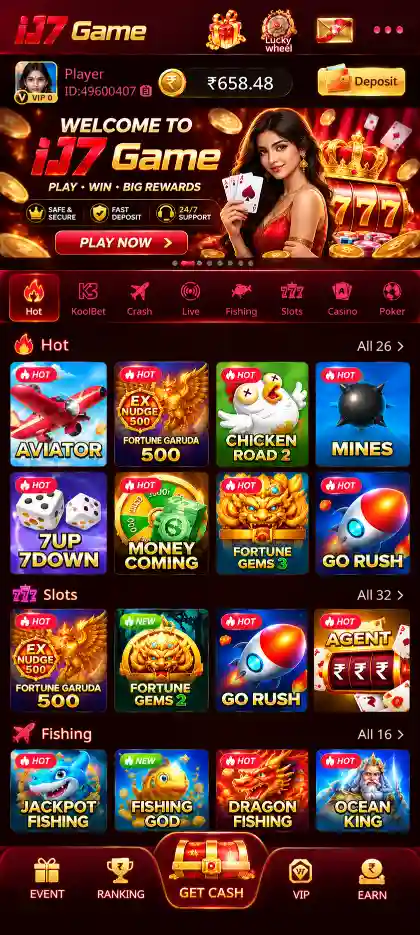
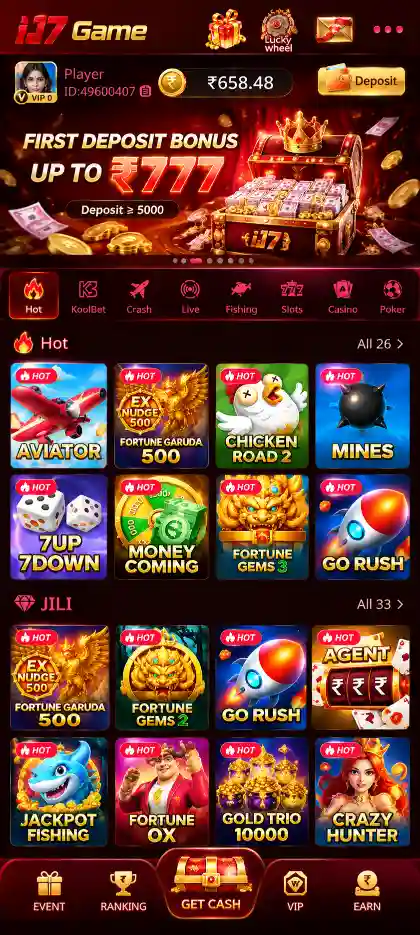
IJ7 Game is an Android gaming app featuring several game categories and account-based wallet tools. The reviewed app screens show crash-style, card, slot, fishing and casino-style game collections.
- Crash & quick games: Aviator, Mines, Plinko and Dice.
- Card games: Rummy, Teen Patti and Andar Bahar.
- More categories: Slots, JILI titles, fishing and roulette-style games.
- Account tools: Mobile verification, password login, Wallet, promotions and support.
IJ7 Game Key Features
- Android mobile application with multiple game categories.
- Mobile OTP and password-based account access.
- Wallet sections for deposits, withdrawals and balance information.
- Bank account linking for withdrawal requests.
- Account-specific withdrawal eligibility and limit information.
- Promotion areas for first deposit offers, gift codes and VIP activities, subject to their terms.
- In-app account support and transaction records where available.
IJ7 Withdrawal Information
| App | IJ7 Game (Android) |
|---|---|
| Withdrawal path | Wallet → Withdraw |
| Bank setup | + Bank / Add Card |
| Bank details | Account Holder Name, Account Number, IFSC |
| Confirmation | Save & Continue |
| Available funds | Withdrawable balance shown in your account |
| Limits & conditions | Remaining limit, VIP limit and wager requirement |
| Charges & timing | Check current on-screen instructions |
| Account help | Support and relevant transaction records |
How to Add a Bank Account for IJ7 Withdrawal
If the withdrawal screen displays Bank account required, there is no receiving account selected for the request. Start with Add Card or + Bank / Add Card in the available bank-account area. Adding a receiving account is an account setup action; it does not automatically request a payment.
- Sign in to IJ7 Game with your registered mobile number and open the withdrawal area.
- If Bank account required appears, select Add Card to open bank-account setup.
- Choose + Bank / Add Card if that is the control shown on your screen.
- Enter the Account Holder Name exactly as held by your bank.
- Enter the Account Number and compare every digit against your bank records.
- Enter the IFSC as shown in your bank records; the screen specifies an 11-character code.
- Review the information and use Save & Continue when the details are correct.
- Return to the withdrawal area and confirm that the saved account is available for selection.
The app warns that credit cards are not supported for cash withdrawals. Make sure the receiving bank account belongs to you and is the account you actually intend to use. If a field is rejected, read the field-specific error rather than submitting different information at random. A saved bank account should not be treated as verification that a cashout request has succeeded.
How to Use Select Bank Before Cashout
The Select Bank control determines which saved bank account is used as the receiving destination for the withdrawal being prepared. Check the saved bank name and the account details shown in the app. If the wrong account appears, stop before tapping Withdraw and correct the selection through the account controls.
- If Bank account required still appears, reopen the bank-selection area.
- Confirm your bank details were saved and select the correct account.
- Never share your full account number, password or authentication information with an unknown person.










How to Withdraw Money From IJ7 Game
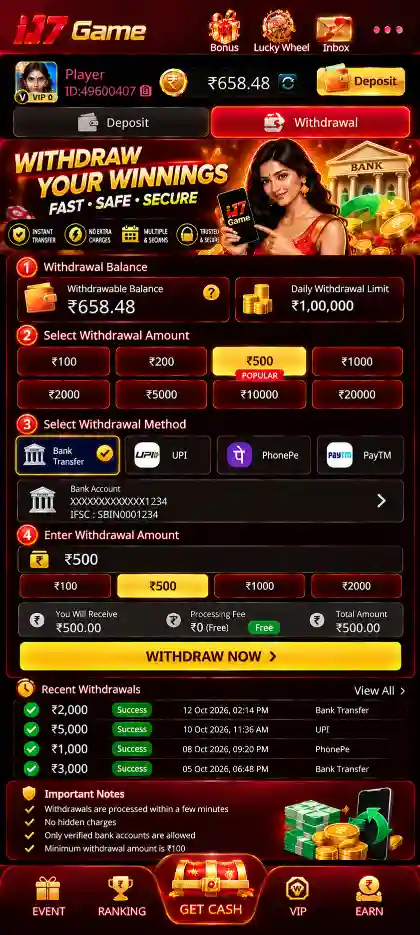
Once your receiving bank account is saved, the withdrawal screen brings together the payout destination, withdrawal amount and account conditions. Read these fields together before sending the request.
- Open IJ7 Game and sign in using the mobile number registered with the account.
- Go to the Withdrawal area and check whether a bank account is required.
- Use Add Card to save bank details if necessary, then choose the saved destination with Select Bank.
- Read your available balance and any Remaining Withdrawal Limit on the screen.
- Check the amount choices shown in the IJ7 interface. Select from the amount options currently available to your account.
- Review the VIP Daily Limit, Wager Requirement and any Applicable Charges or deductions before proceeding.
- Select an eligible amount or enter one if the screen allows it. Make sure it fits the balance and the conditions displayed for this request.
- Recheck the destination under Select Bank and review the confirmation details, including any displayed net amount.
- Tap Withdraw only when the details are correct. Submit once and keep the confirmation or transaction reference if one appears.
- Check available withdrawal or transaction records for the request details and its current state.
Withdrawal options and limits vary by account. Choose only an amount currently available in your IJ7 app; displaying an option does not guarantee approval.
Withdrawal Amount Choices and Remaining Limit
The wallet balance, amount available to withdraw and Remaining Withdrawal Limit serve different purposes. Money shown in the wallet is not necessarily eligible for immediate bank transfer. A remaining limit may further restrict the amount that can be requested, even when a wallet balance appears sufficient.
Available balance
Check the amount specifically available for withdrawal. An overall wallet figure or a bonus figure alone is not proof of eligibility.
Withdrawal amount choices
The IJ7 interface provides selectable withdrawal amounts. Select only an option actually available for your account and review the submitted amount before confirming.
Remaining withdrawal limit
Read the remaining limit on the withdrawal screen before choosing an amount. It can differ from both your wallet balance and the maximum displayed amount choice.
Rewards and bonus funds
Promotional balances, including welcome-bonus offers, can have separate conditions. Check the eligible amount and offer rules instead of assuming the displayed bonus is immediately cashable.
VIP Daily Limit, Wager Requirement and Charges
IJ7 withdrawal screens can show account-specific conditions alongside the amount and saved bank. These conditions are important because they affect whether a request can go ahead or how much can be transferred. The labels are not interchangeable.
VIP Daily Limit
Check the daily limit presented for your account or VIP level. An amount choice on the screen does not override a smaller daily allowance.
Wager Requirement
Read the wagering condition, if displayed, and check whether it is satisfied before attempting to withdraw the corresponding amount. Do not confuse it with your bank-account setup.
Applicable Charges
Review any charge or deduction on the current confirmation screen. Compare the requested amount with the resulting transfer amount, if the app shows both.
Pending requests
Look at existing transactions before sending another. A previous pending request may affect what you can submit next.
The app shows account-related limits, wagering requirements, fee information and processing guidance; they may change. There is no verified universal amount, commission or processing time for every account in this guide. The figures displayed inside the active IJ7 withdrawal screen are the ones to review. If an amount is rejected, check these conditions before trying again.
How to Check IJ7 Withdrawal Status
After requesting a withdrawal, check the transaction record or history available in the app. A post-submission status screen was not provided, so no exact status wording is claimed here.
- Check the request date and selected receiving bank.
- Compare the submitted amount with the withdrawal record.
- Keep any transaction reference shown in the app.
- If it is not credited to the receiving bank, check the bank record and use in-app support.
- Avoid repeating the same request before confirming the previous request's state.
IJ7 Withdrawal Records and Follow-Up
- Keep the request date, amount and any transaction reference.
- Check the saved bank destination against your own bank records.
- Verify whether the transfer has reached your bank; an in-app status alone is not a bank receipt.
- If the request fails, confirm any returned eligible balance before retrying.
- Share only the minimum transaction details needed with the authorised support option; never disclose OTPs or passwords.
IJ7 Withdrawal Problems and Solutions
Withdrawal option is unavailable
Check that you are signed in to the correct account, that an eligible balance is shown and that any required account details are completed.
Bank information is rejected
Reopen Add Card or bank settings, compare the holder name, account number and other requested information, and make sure the correct saved account is selected under Select Bank.
Withdrawal is pending
Open the recorded request and review its current status. Preserve the reference and avoid submitting an identical payment request immediately.
Completed but not received
Review the receiving bank record and destination details. If the records do not match, contact support through the intended account route using the reference.
Amount is not accepted
Compare the selected amount against the available balance, Remaining Withdrawal Limit, VIP Daily Limit, Wager Requirement and any charges shown for your account.
Account verification interrupts cashout
Use the registered number and complete verification within the app. See the IJ7 Login guide for OTP and password help.
What if withdrawal history will not load?
Check whether other account screens respond on the same network. If necessary, close and reopen the app, then return to the history screen. Do not treat a blank history page as evidence that a request was cancelled. Wait until the records are visible before submitting a replacement transaction.
Should you uninstall the app to resolve a payment delay?
Reinstalling the app does not by itself complete a bank transfer. If you can sign in and view the recorded transaction, preserve its details and use the withdrawal history to track it. App installation problems belong on the IJ7 APK page, while payment-related problems need transaction-specific follow-up.
Protect Your IJ7 Account During Withdrawals
Withdrawal requests involve financial information, so verify each action before confirming it. Keep access to your registered mobile number and choose a private device when making account changes. Someone promising a faster payout, a special unlocking fee or guaranteed game winnings should not be given your account credentials or asked to receive your money.
- Never share an IJ7 login password, OTP or bank authentication code.
- Review the payout destination and amount on the final confirmation screen.
- Use bank details that you control and can verify directly.
- Keep withdrawal records private and hide sensitive fields before sharing an image with an authorised support channel.
- Do not send additional funds simply because an unknown person claims a cashout is blocked.
- Review the site's Trust & Safety and Responsible Gaming guidance, including applicable age and local restrictions.
Real-money games carry financial risk. A withdrawal request is not proof of a profit, and cashout success or processing time cannot be guaranteed by a guide page. Follow only the terms and instructions that apply to the account and payment method you are using.
IJ7 Withdrawal FAQs
How do I request a withdrawal from IJ7 Game?
Sign in, open the withdrawal area, review the amount eligible for cashout and your saved bank details, then submit the requested amount. Keep the confirmation or transaction reference.
Where do I check IJ7 withdrawal status?
Check any withdrawal or transaction history available in your IJ7 account. The exact status-screen layout is not verified.
Why is my IJ7 withdrawal pending?
The request has not yet been recorded as completed. Review any information on that transaction and avoid sending a duplicate request just because it is pending.
What should I do when IJ7 says Bank account required?
Use Add Card or + Bank / Add Card, enter the account holder name and account number, review the requested bank information, then select Save & Continue. Return to Select Bank and choose the saved destination.
Can I withdraw an IJ7 bonus immediately?
A bonus may have conditions separate from your withdrawable balance. Check the specific promotion and the amount made eligible for withdrawal in your account.
Why does IJ7 reject my withdrawal amount?
Compare the amount against your eligible balance and the transaction limits shown for the selected payout option.
What if the withdrawal is marked completed but not in my bank?
Compare the receiving account, amount and transaction reference with your bank record. If they do not match, use the account's authorised support route.
What are the IJ7 withdrawal amount choices?
The app shows selectable amounts. Eligibility depends on your withdrawable balance, remaining limit and current account conditions.
What do VIP Daily Limit and Wager Requirement mean?
VIP Daily Limit is the daily cashout allowance shown for the account. A Wager Requirement is a separate condition that may need to be met before some funds are eligible for withdrawal. Read both on the current screen.
Can IJ7 charge a withdrawal fee?
Check Applicable Charges on the withdrawal or confirmation screen. Any deductions must be reviewed for the actual request; this guide does not assume a fixed fee.
For related account tasks, use the IJ7 Deposit guide, IJ7 Login guide and IJ7 App guide.