

What Is IJ7 Game?
IJ7 Game is a multi-category mobile gaming platform accessed through the IJ7 App for Android. Its game lobby brings quick-round games, reels, traditional card games, fishing and casino-style titles into one place. The app also includes account settings, promotions, a wallet and support features.
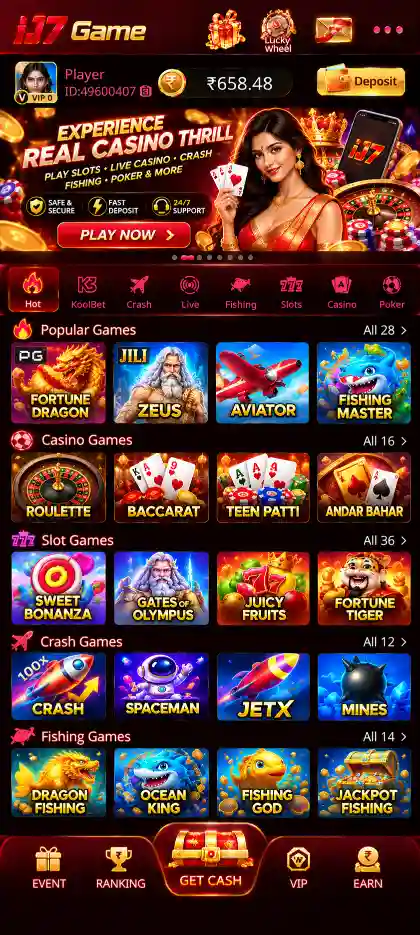
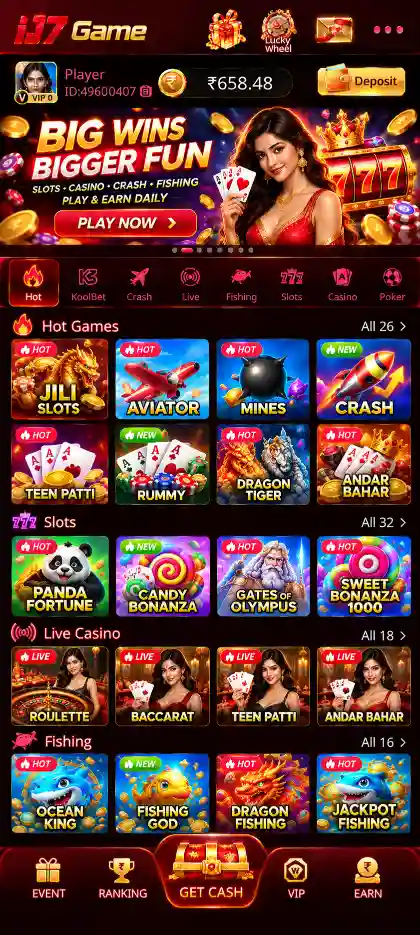
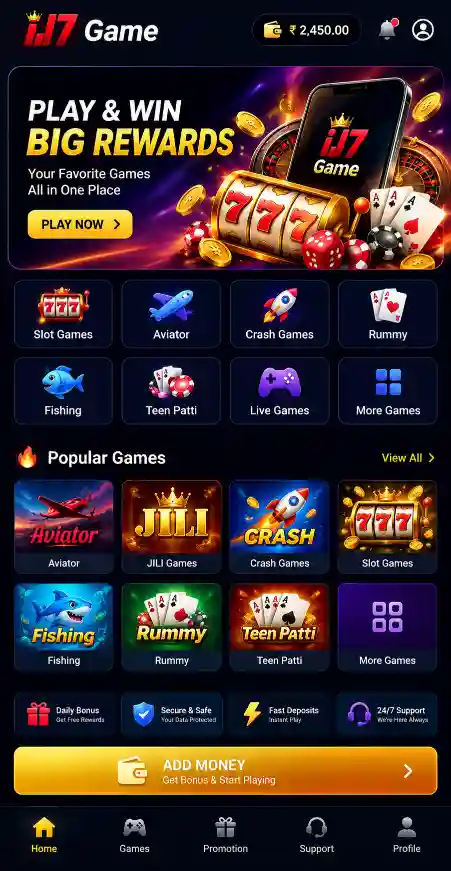
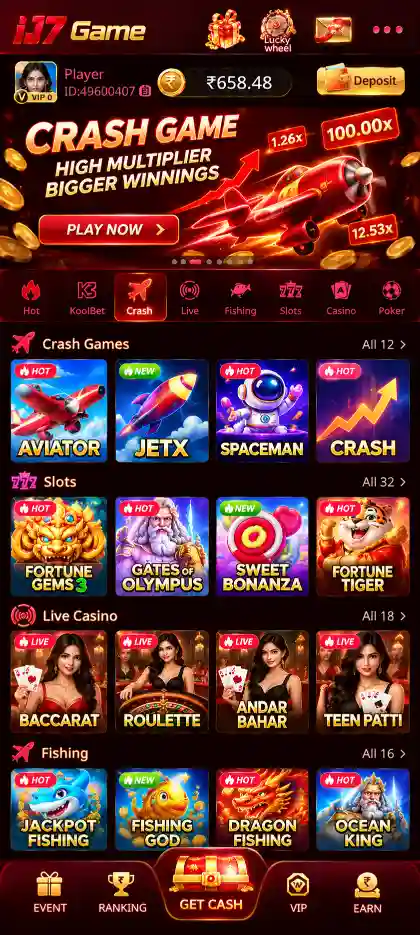
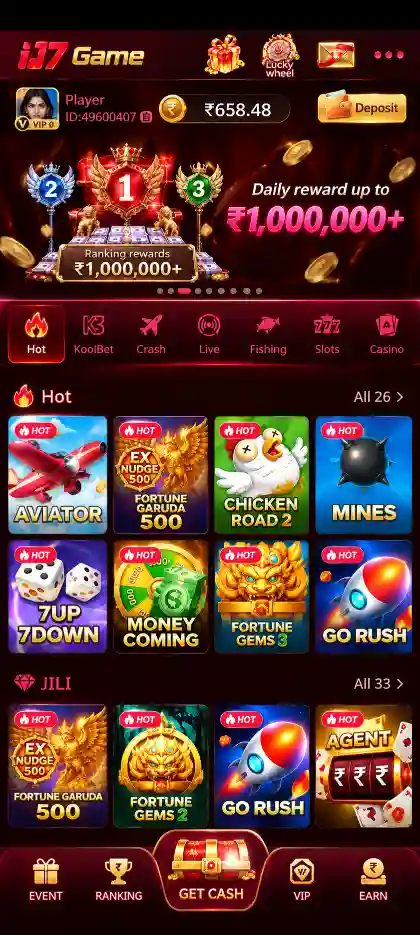
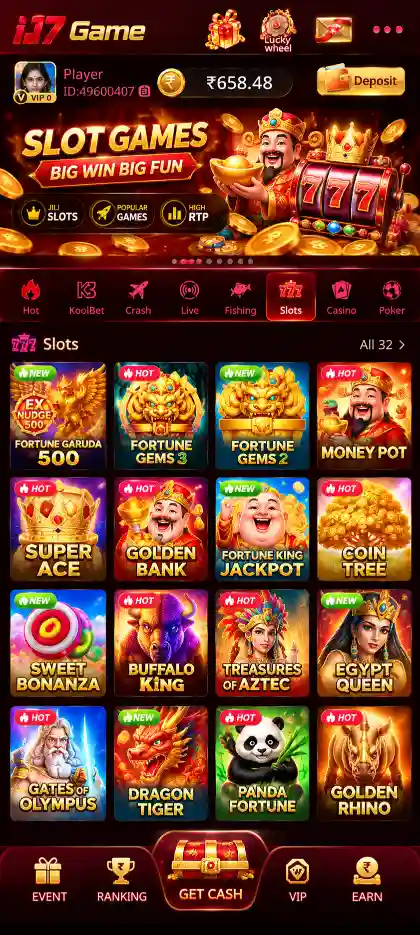
The main lobby groups games into sections such as Hot, Slots, Poker, Fishing and Casino. You can browse Aviator, Mines, Plinko, Dice, JILI Slots, Rummy, Teen Patti and KoolBet collections, then read each game's controls and rules before playing.
This page explains how to use the IJ7 App. For the installation file, see IJ7 APK. For mobile-number confirmation and download steps, read IJ7 Game Download.
IJ7 App Details for Android
IJ7 App runs on Android. Its supplied version, package size and other application details are listed below.
The APK size describes the download file. Android can use additional storage after installation for app data and updates.
IJ7 Game Key Features
The IJ7 Game App combines several game types with account and wallet tools. Its most useful features include:
- Hot games: Aviator, Mines, Plinko and Dice offer different quick-round formats and controls.
- Slots and JILI games: Browse reel-based titles and provider-labelled collections; each game has its own paytable and bonus symbols.
- Rummy and Teen Patti: Explore familiar card-game categories with different hand and sequence rules.
- Fishing games: Access arcade-style titles featuring moving targets and game-specific controls.
- Casino and KoolBet: Find Roulette, Andar Bahar and other casino or card-game collections where listed.
- Easy navigation: Switch between Hot, Slots, Poker, Fishing and Casino from the main game lobby.
- Mobile login: Use your registered number and SMS verification; a login password can be managed through My Profile.
- Wallet: View Deposit, Withdraw and balance-related information in separate areas.
- Bonuses and rewards: Check welcome, first-deposit, daily, ranking and referral offers and their terms.
- Account support: Use Live Support and Balance Records for account or transaction questions.
How to Navigate the IJ7 Game App
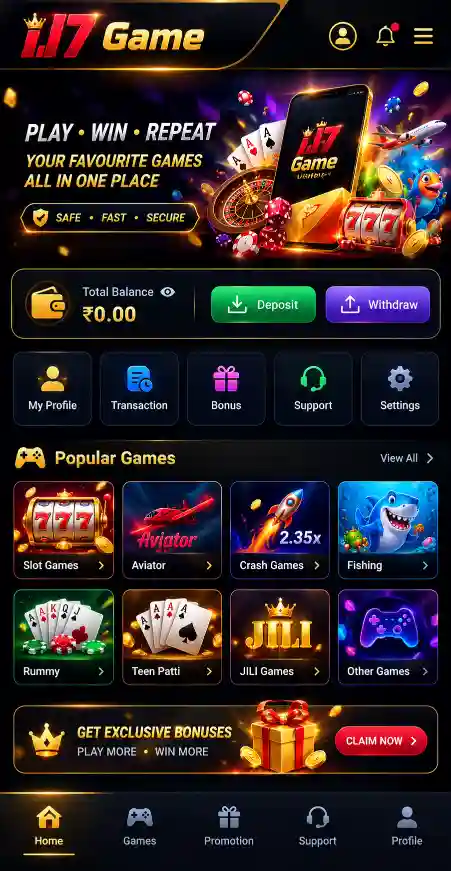
The IJ7 home screen separates game browsing from account management. Use the lobby to find a title; open My Profile for login settings, Balance Records and Live Support.
- Hot: Quick-round titles including Aviator, Mines, Plinko and Dice.
- Slots: Reel-based games and provider-labelled collections.
- Poker: Card games including Rummy and Teen Patti.
- Fishing and Casino: Their respective arcade and casino-style titles.
- My Profile: Account information, password settings and support.
- Wallet: Separate Deposit and Withdraw tabs.
Finding a Game in the IJ7 Lobby
- Open the IJ7 App and complete any required login.
- Select the relevant category, such as Hot, Slots or Poker.
- Look through the available titles or provider collections.
- Open the chosen game's rules and controls before playing.
Some titles appear in more than one collection. Check the selected game's own instructions instead of assuming the rules are identical.

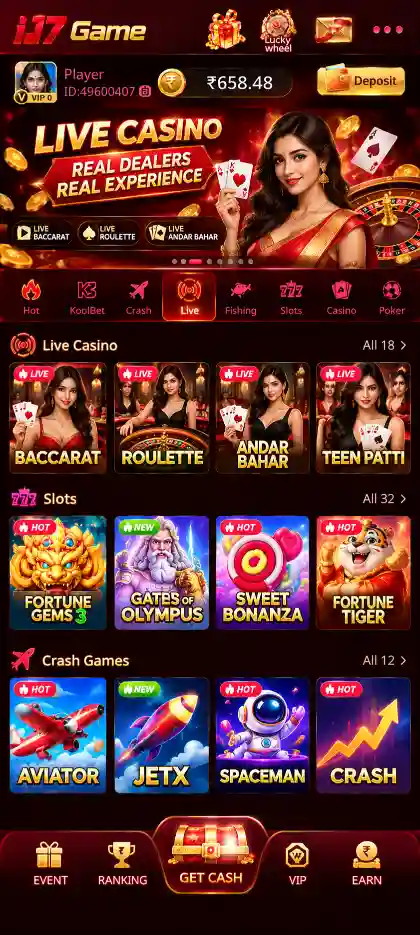
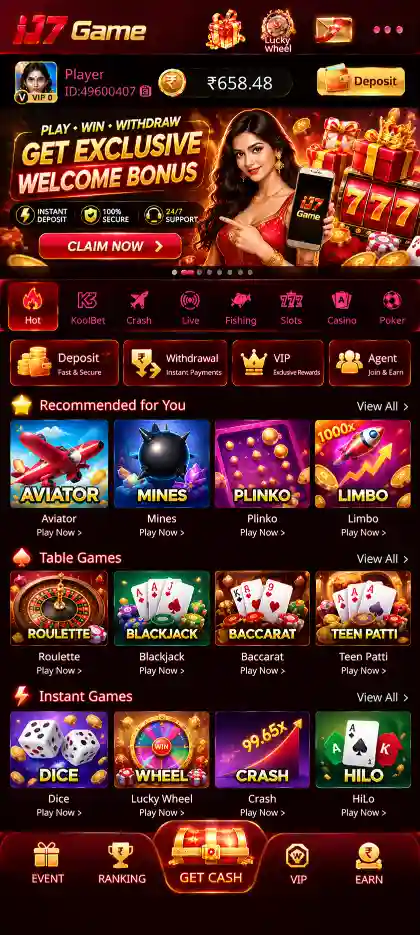
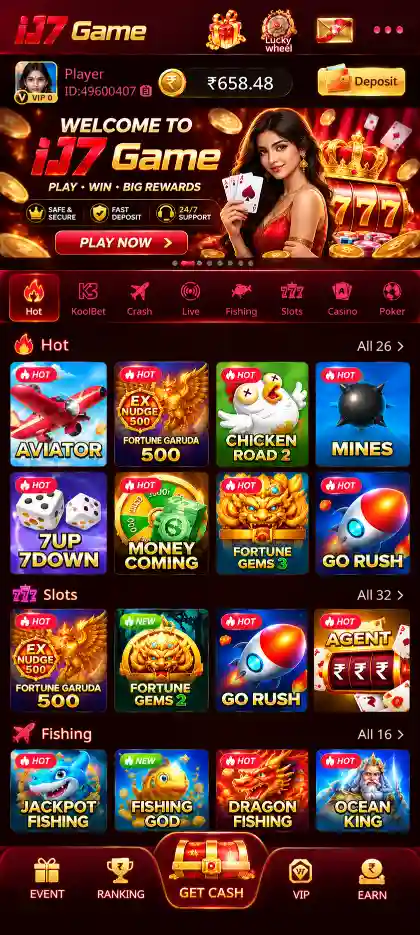
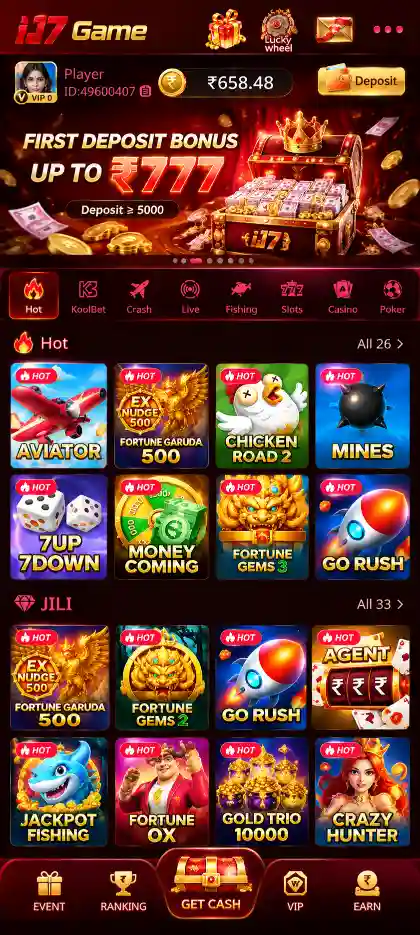
IJ7 Games and Collections
The IJ7 App includes several types of games. The key difference is how each round works—not simply how a game is labelled in the lobby.
Hot Games: Aviator, Mines, Plinko and Dice
- Aviator: A rising multiplier and a decision about when to cash out before the round crashes.
- Mines: Hidden mines and safe tiles; choosing another tile increases exposure to risk.
- Plinko: A ball moves through pegs and lands in a result slot.
- Dice: Results follow the selected title's number or dice-outcome rules.
- Go Rush: Another title shown in the Hot collection.
Earlier results do not reliably predict future rounds. Refer to each game's displayed rules for stakes, outcomes and possible returns.
Slots, JILI, PG and Pragmatic Play
Slots use reels, symbols and game-specific paytables. IJ7 also groups titles under JILI, PG and Pragmatic Play. A provider collection can contain games with different paylines, bonus features and controls.
- Check the paytable before a spin.
- Read how Wild, Scatter or other special symbols work in that title.
- Do not confuse a theoretical RTP with a guaranteed session result.
Rummy, Teen Patti and Poker
Rummy focuses on forming valid sequences and sets. Teen Patti compares three-card hands. They are different card formats, even when both appear under Poker.
The KoolBet collection also includes Rummy and Andar Bahar. Check the rules of the specific version you open.
Fishing, Casino and Evolution
Fishing games use moving targets and action-based controls. Casino sections include games such as Roulette, while Evolution and Crazy Time represent other casino or game-show formats. Each title has its own available options and result rules.
IJ7 App Login and My Profile
First-time IJ7 account access uses a registered mobile number and an SMS verification code. After verifying the number, users can manage their account from My Profile.
First-Time Mobile Verification
- Open IJ7 after installation.
- Enter the mobile number used during the download and registration process.
- Tap Send Code.
- Enter the received SMS code.
- Continue to the IJ7 Game lobby after verification.
Set Your IJ7 Login Password
Open My Profile → Account & Security → Login Password, then:
- Enter your registered mobile number.
- Request and enter the verification code.
- Create a password of 8–32 characters.
- Enter it again under Confirm Password and save.
For later access, use your registered number and saved password, with any additional verification requested by the app. See the IJ7 Login guide and IJ7 Registration guide for account-specific help.
Balance Records and Live Support
Balance Records help you review recorded account activity. Live Support is available for unresolved account or transaction questions. Never give anyone your SMS code or password.
IJ7 App Wallet: Deposit and Withdrawal
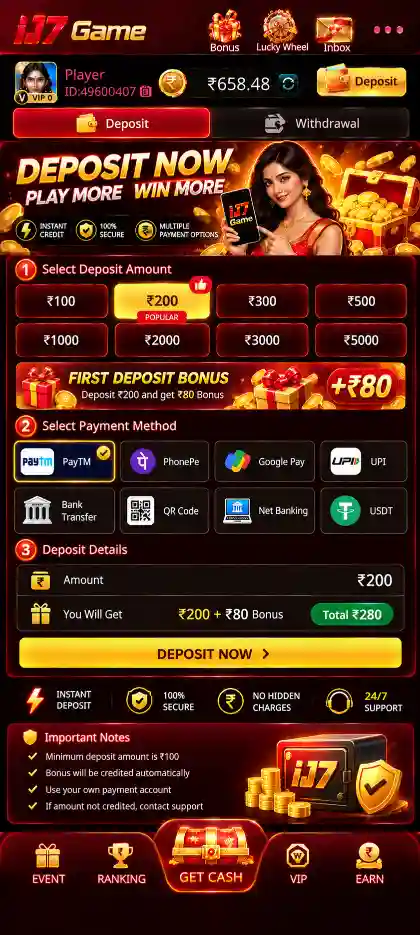
IJ7 Wallet has separate Deposit and Withdraw tabs. Select the correct one before entering payment or bank details.
Deposit in IJ7
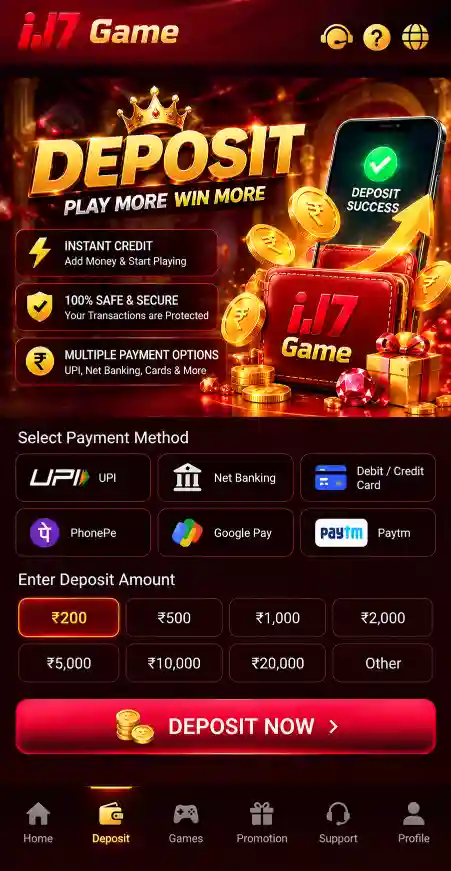
- Payment methods: Review the Paytm, PhonePe and QR Code options displayed in your account.
- Before paying: Check the selected payment method, instructions and destination carefully.
- After paying: Review Wallet and Balance Records before attempting another deposit.
Choose an amount, review the displayed payment destination and check the transaction record before attempting another payment. Read the IJ7 Deposit guide for the full procedure.
Withdrawal and Bank Details
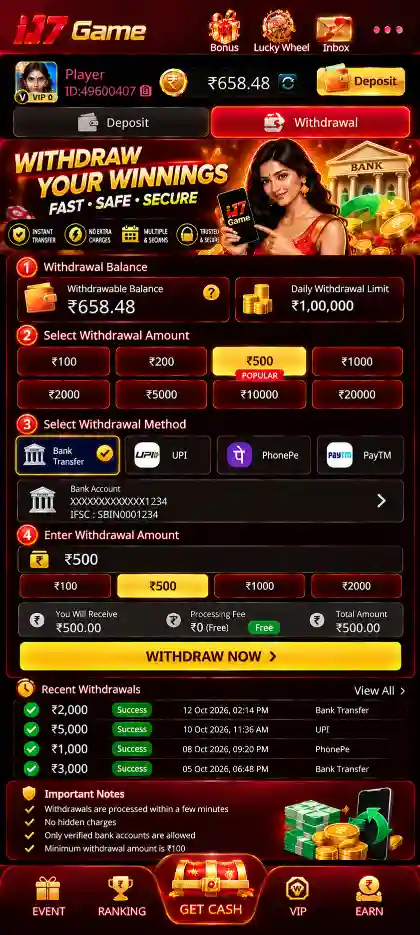
Open Wallet → Withdraw. If a bank account is not linked, use + Bank or Add Card to enter the account holder's name, account number and 11-character IFSC.
- Bank account: Enter the account holder name, account number and 11-character IFSC.
- Balance: Review Withdrawable Balance separately from Cash Balance.
- Limits and conditions: Check the amount available, daily limit, any fees and wagering requirements shown before requesting a withdrawal.
Cash Balance and Withdrawable balance are different figures. For full instructions, visit the IJ7 Withdrawal guide.
IJ7 App Bonuses and Rewards
The supplied IJ7 details show a ₹200–₹500 bonus and several promotional areas. These features have separate conditions and are not the same as game results.
- First Deposit Bonus: An offer linked to eligible first deposits; read the current wagering and eligibility conditions.
- 7 Days Daily Bonus: Rewards arranged across a seven-day period.
- Ranking Rewards: Promotions displayed through the ranking section.
- Referral Rewards: Offers associated with eligible referrals.
Review each offer's eligibility, wagering terms and account status inside IJ7 before using it. The IJ7 Bonus guide covers reward-related details.
How to Get Started with IJ7 App
Once the APK is installed, use the IJ7 icon to open the app. You do not need to download the APK every time you want to access your account.
- Open IJ7 from the Android app list.
- Complete mobile verification or sign in with existing account details.
- Use the lobby to locate Hot, Slots, Poker and other collections.
- Open My Profile to check your account and password settings.
- Review Wallet and Balance Records when needed.
- Check the selected game's instructions and relevant promotion conditions.
If you still need to install the app, follow the IJ7 APK installation steps.
IJ7 App Latest Version and Updates
Before updating, compare the installed IJ7 version with the download offered on the IJ7 Latest Version page. The current website APK details are shown in the information table above.
- Check the current installed version in Android App info or the app's available details.
- Obtain the intended IJ7 update package.
- Confirm the file finished downloading and that storage is available.
- Open it through the Android installer and review any update prompt.
- After installation, open IJ7 and check account access.
A package or signature mismatch can block an update. Do not uninstall a working app or disable Android security just to bypass an error. See IJ7 APK troubleshooting for installation-specific help.
Improve IJ7 App Performance on Android
Game screens and account screens may use different amounts of network data and device memory. If IJ7 becomes slow, identify whether the problem affects one title or the entire application.
- Internet: Check Wi-Fi or mobile-data stability.
- Storage: Keep free space available for app data.
- Background apps: Close other demanding apps if memory is limited.
- Restart: Close and reopen IJ7 after a temporary freeze.
- Transactions: Check Balance Records before repeating a payment request.
IJ7 App Not Working? Common Fixes
IJ7 App Not Opening
Check that Android completed installation. Restart the app or phone, then read any displayed error before uninstalling or clearing stored data.
Game Lobby Not Loading
Check your connection. If only one game fails, try opening another category to distinguish a game-specific issue from a wider app problem.
IJ7 OTP Not Received
Confirm the registered number, SIM and SMS reception. Enter the current verification code exactly as received. Use Live Support if delivery repeatedly fails.
Login Password Not Working
Confirm you are using the correct registered number. If no password has been created, complete mobile verification first. Use the available account recovery options rather than trying unrelated credentials.
Wallet Balance Not Updating
Check the correct Wallet tab and Balance Records before repeating an action. For an unresolved deposit or withdrawal, use Live Support with the relevant transaction details.
IJ7 App Update Failed
Check the downloaded package, free storage and Android installer message. A package conflict needs a different fix from a network or storage problem.
IJ7 Account Security and Responsible Gaming
Keep your login password and SMS verification code private. Check payment and bank details before submitting a transaction. Review the current rules for each game and the eligibility requirements attached to promotions.
Real-money game results are uncertain and financial losses are possible. Observe applicable age and local legal requirements. See Responsible Gaming for guidance.